

Teaching Buddy about a site
Each site has its own instructions: notes Buddy reads at the start of every conversation and follows. Put in them anything you would otherwise have to repeat: your brand, your tone of voice, the rules of the house.
What to put in them
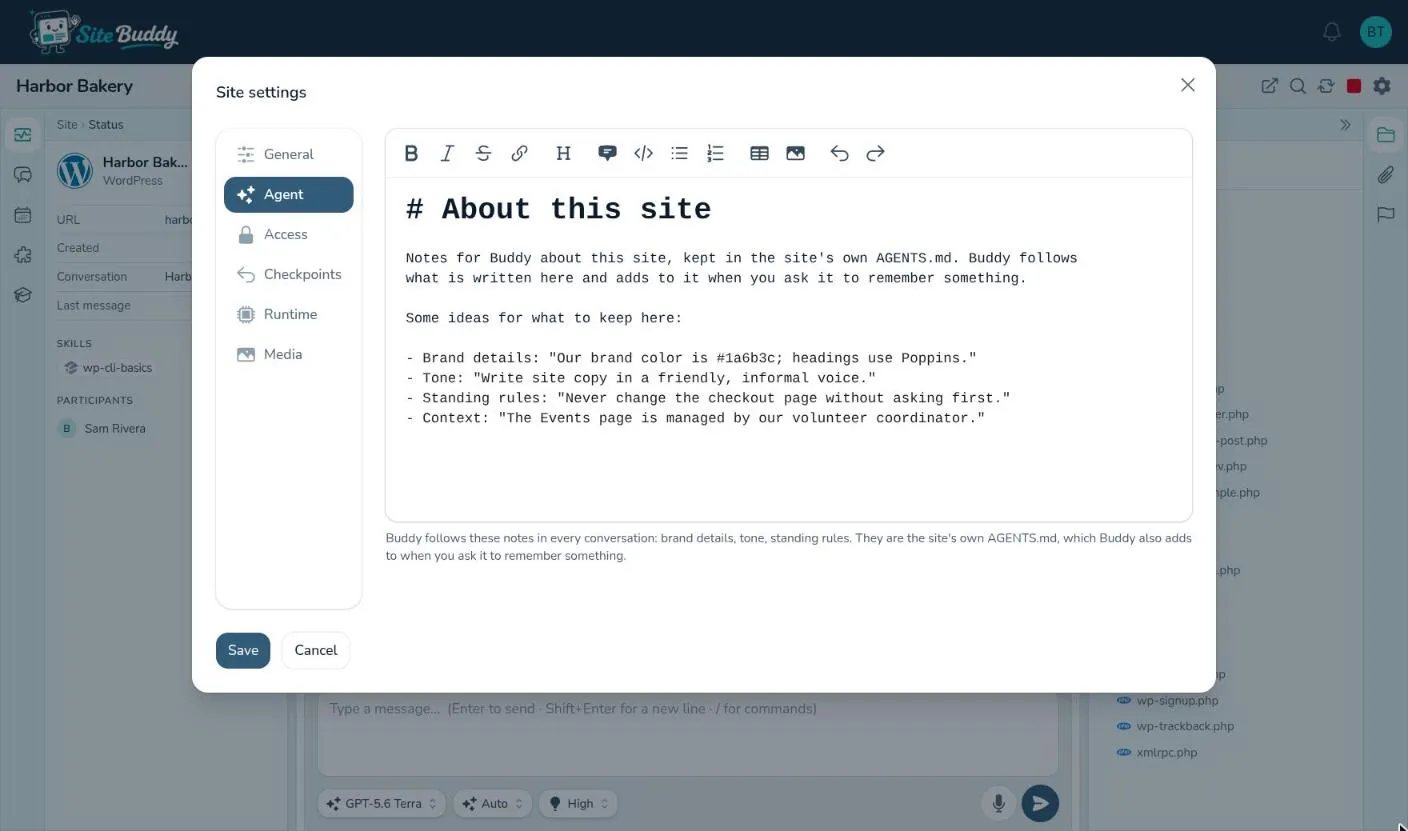
Section titled “What to put in them”- Brand details: “Our brand color is #1a6b3c; headings use Poppins.”
- Tone: “Write site copy in a friendly, informal voice. British English.”
- Standing rules: “Never change the checkout page without asking first.” “Don’t install new plugins without checking with me.”
- Context: “The Events page is managed by our volunteer coordinator.” “Most customers visit on a phone.”
Keep them short and specific. They are read in every conversation, so a long list of rarely-needed details is better kept in a file in Artifacts that the instructions point to.
Editing them yourself
Section titled “Editing them yourself”- Open the site’s settings (the gear at the top of the workspace) and go to the Agent tab.
- Edit the notes. A new site starts with a short template of ideas you can replace.
- Press Save. Buddy follows the new notes from its next conversation.
If Buddy changed the notes while you had them open, Site Buddy won’t overwrite its change: close the settings and open them again to see the latest version, then make your edit.
Asking Buddy to remember
Section titled “Asking Buddy to remember”You don’t have to open settings at all. Say it in the chat:
- “Remember that we never use stock photos of people.”
- “From now on, write all blog posts in the first person plural.”
Buddy adds it to the site’s instructions, where you can read, change or remove it on the Agent tab.
Instructions, skills or a checkpoint?
Section titled “Instructions, skills or a checkpoint?”- Instructions are about this site: its brand, its rules, its people.
- Skills are know-how that applies to many sites: how WordPress works, how your agency writes a blog post.
- Checkpoints are how you undo, not how you teach.
For developers: the instructions are the site’s AGENTS.md file, the convention most AI coding tools read.