

Team and roles
Everyone in Site Buddy belongs to an organization: your company, agency or team. Your sites, skills and settings belong to the organization, and its people work on them together.
| Role | Can |
|---|---|
| Owner | Everything: every site, every setting, billing, and who is in the organization. |
| Admin | Every site and every user except owners. Can see organization details, cannot change billing or settings. |
| Member | Their own sites, and the ones an owner or admin has shared with them. |
Anyone can create a site. Members can delete only the sites they created; owners and admins can delete any.
Inviting someone
Section titled “Inviting someone”- Open Users in the sidebar and press Invite someone.
- Enter Their email address and choose their Role in the organization. (Only owners can invite another owner.)
- Press Send the invitation.
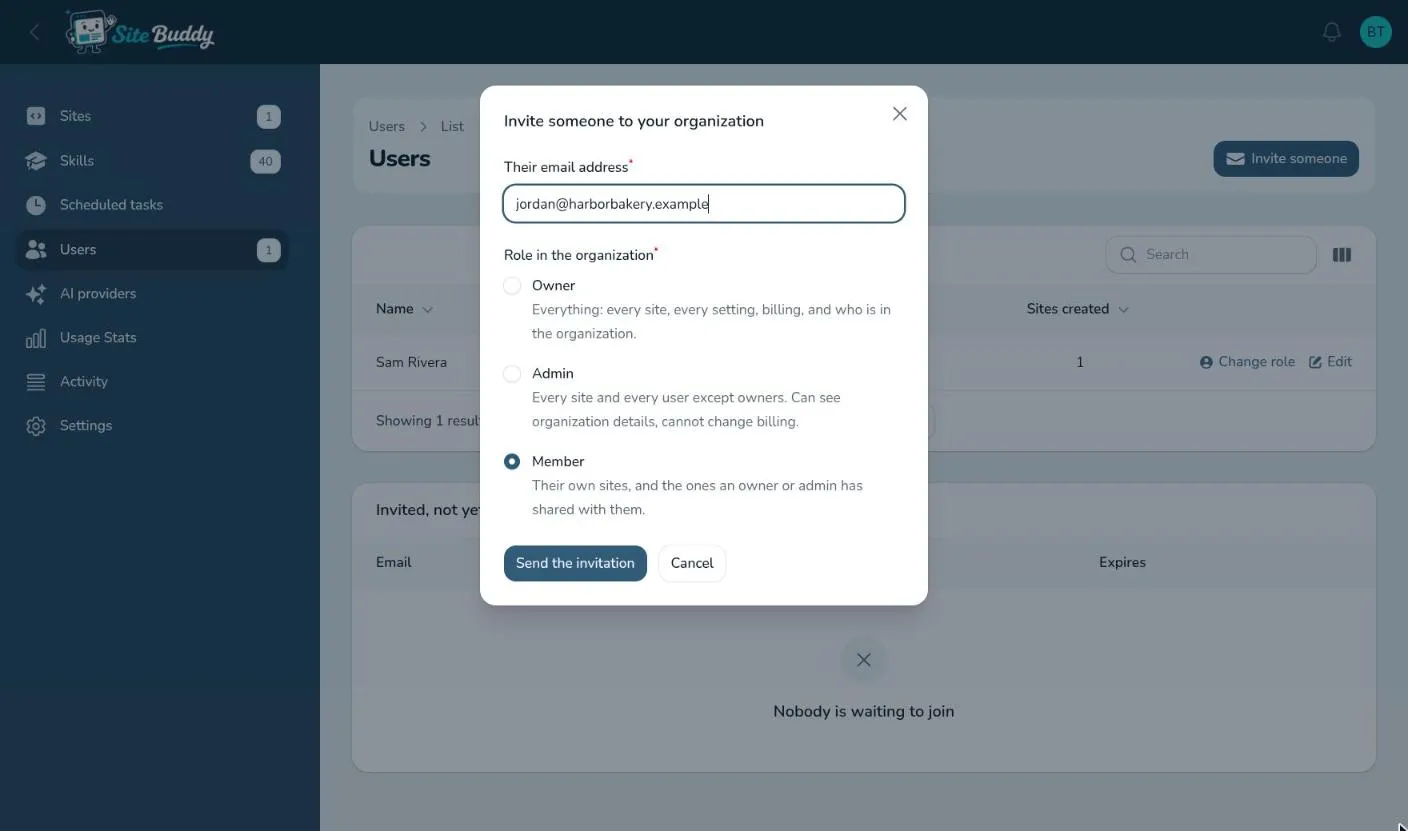
They get an email with a link. They choose a name and password, press Join, and they’re in. The invitation is good for seven days.
Invitations not yet accepted are listed under Invited, not yet joined, where you can Send again or Withdraw them.
Changing someone’s role or removing them
Section titled “Changing someone’s role or removing them”On the Users page, use Change role on the person’s row, or delete them to remove them from the organization. An organization always keeps at least one owner.
Sharing a site with a member
Section titled “Sharing a site with a member”Owners and admins see every site. A member sees only the sites they created, plus the ones shared with them:
- Open the site’s settings and go to Access.
- Pick the member under Shared with.
- Press Save.
They can now open the site and work on it with Buddy. On the Sites page, a lock icon on a card shows who a site is shared with.
To let someone look at a site’s preview without joining your organization, add them under Viewers by email instead. See previewing and the lock page.