

Skills
A skill is a short guide Buddy reads when it is relevant: how WordPress is put together, how to speed up a Shopify theme, how your organization likes its blog posts written. Buddy works without skills, but a good skill makes it faster and more consistent at that kind of work.
Skills come from two places:
- The Site Buddy catalog: skills we maintain for the platforms and jobs Site Buddy supports.
- Your organization’s own: skills you import or Buddy writes for you, tagged Yours.
Installing skills on a site
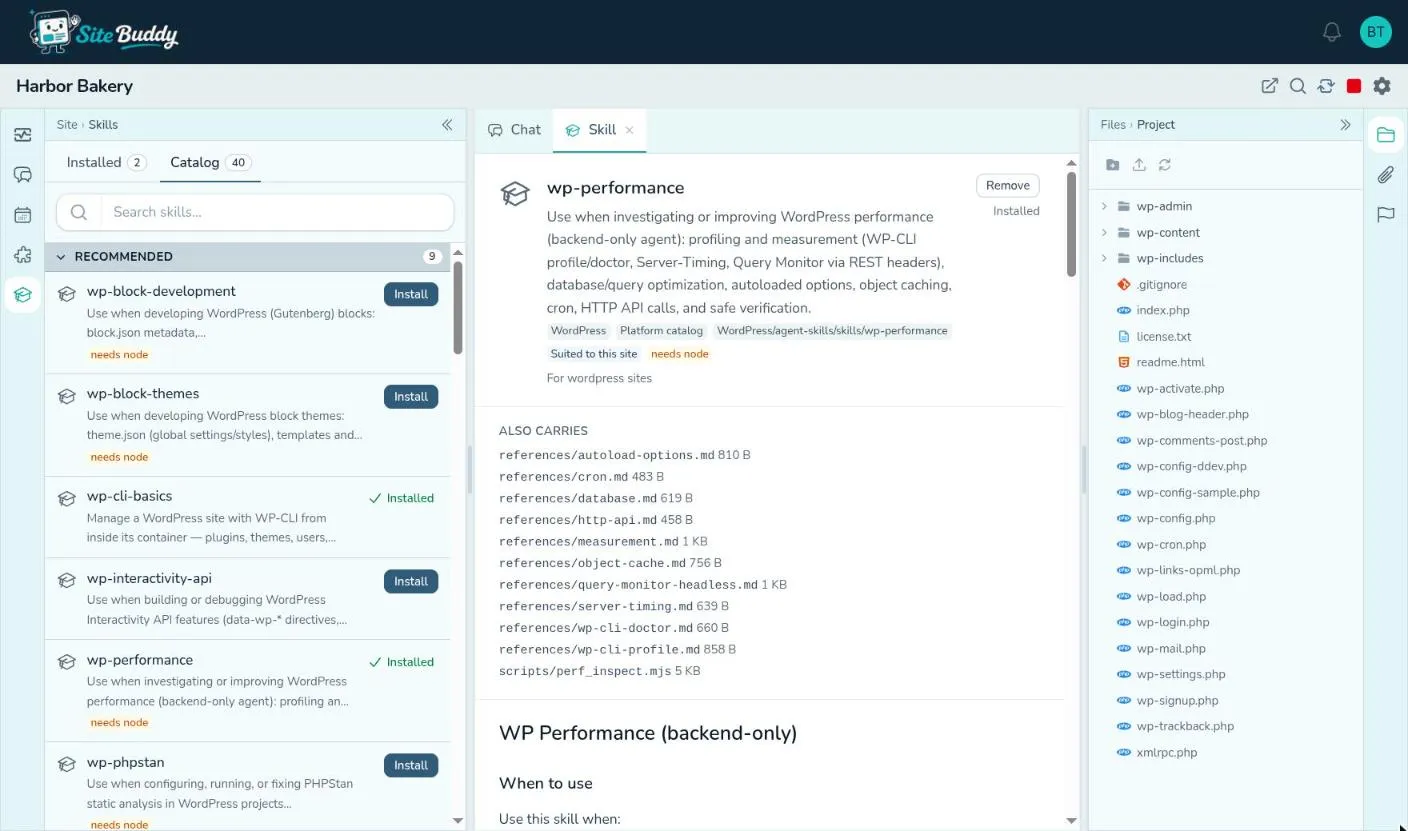
Section titled “Installing skills on a site”Open the Skills pane in the site’s workspace. It has two tabs.
- Installed: the skills Buddy carries on this site. Remove takes one away; it stays in the list, marked off, until you leave the tab, so a slip is one click to undo.
- Catalog: every skill this site can use.
- Recommended: skills made for this kind of site (WordPress, Shopify, Laravel and so on).
- Available: everything else, your organization’s own skills first.
- Install adds one. The row stays where it is and shows Installed, so you can keep browsing.
Click any skill to read it in full in the centre: what it teaches, where it comes from, which kinds of site it suits, and any scripts or reference files it carries. Install or remove it from there too.
Changes take effect within a few seconds; Buddy has the new skill from its next step.
A tag like needs node means the skill runs scripts that need that tool on the site.
Skills across all your sites
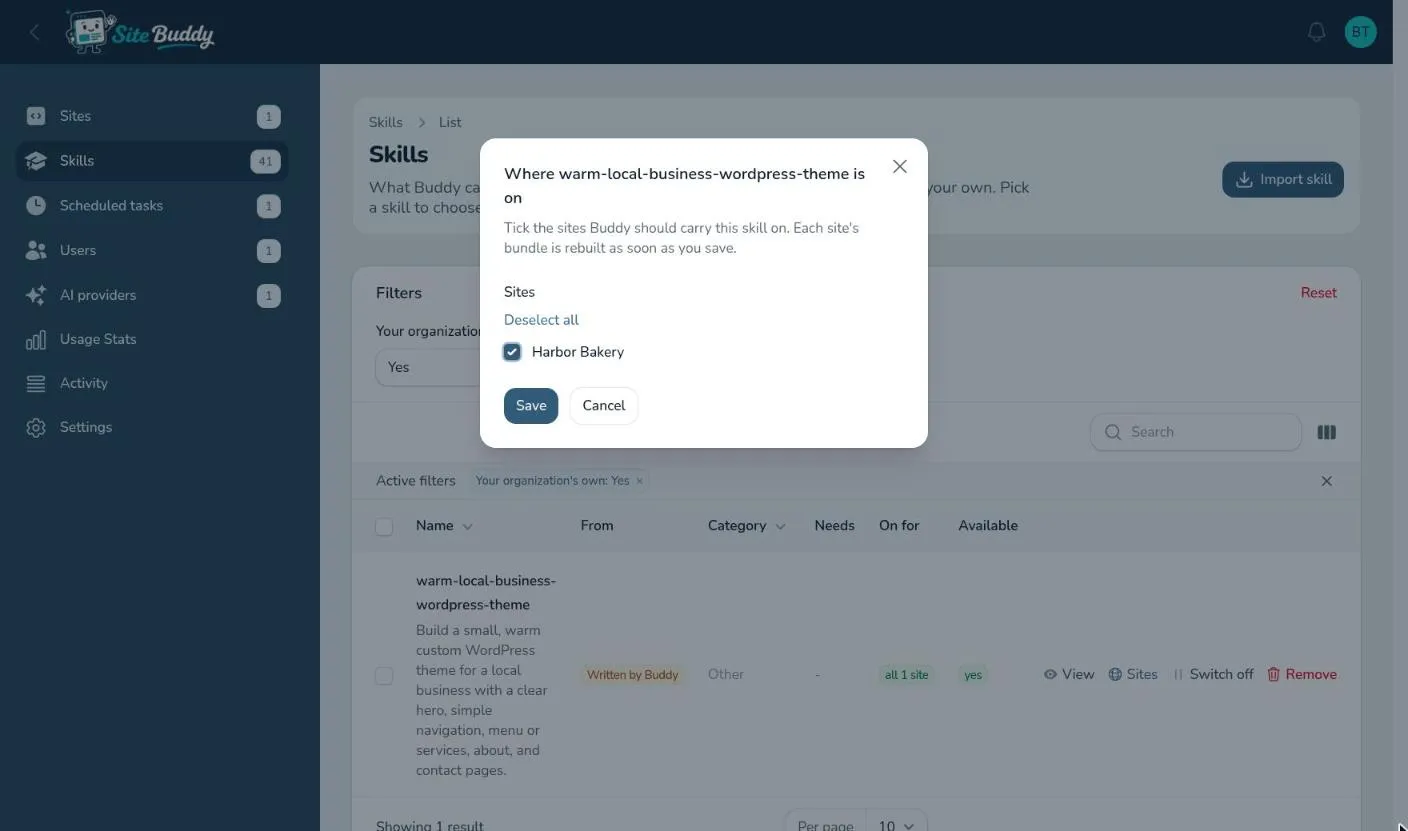
Section titled “Skills across all your sites”Skills in the sidebar lists every skill your organization can use, and which sites each is on (“3 of 5 sites”). Filter by category, or to your organization’s own.
- Sites on a skill’s row: tick the sites it should be on.
- Select several skills and use Switch on for sites or Switch off for sites to change many at once.
- Open a skill to see exactly the files Buddy receives on a site it is on.
Having Buddy write a skill
Section titled “Having Buddy write a skill”The easiest way to make a skill is to have Buddy write it, straight after doing the job well:
That worked. Turn how we just wrote and published that post into a skill for next time.
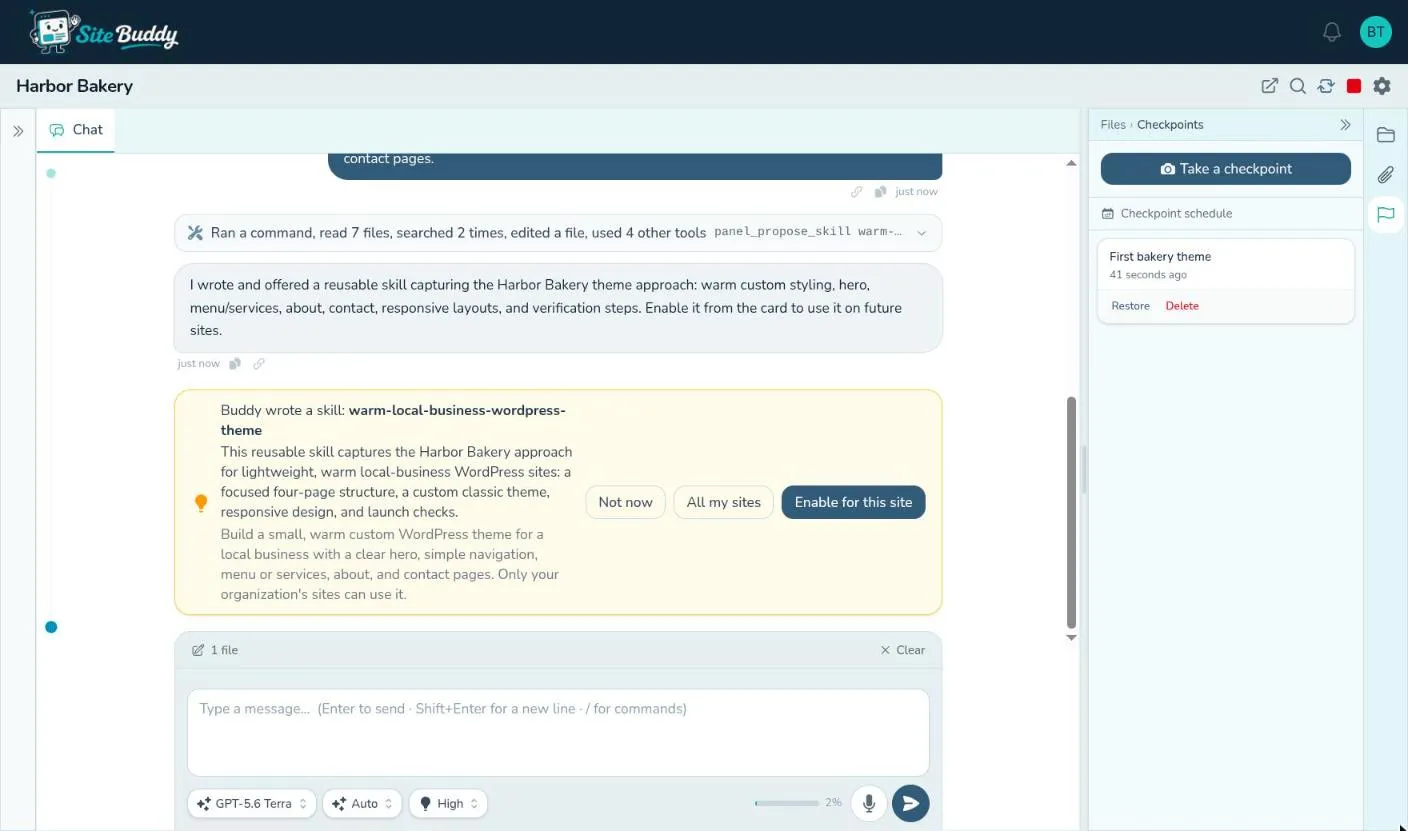
Buddy writes the skill and shows a card in the chat, Buddy wrote a skill, with three choices:
- Enable for this site
- All my sites
- Not now (the skill is kept, switched off; turn it on later from the Skills page)
To change a skill later, ask Buddy to improve it (“update the blog-post skill so it always adds a featured image”).
Buddy asking for a skill
Section titled “Buddy asking for a skill”Sometimes Buddy notices a catalog skill would help and asks for it: Buddy asks for the … skill. Press Enable for this site and Buddy carries on as soon as it is installed, or Not now.
Importing a skill
Section titled “Importing a skill”Owners and admins can bring in a skill someone has published on GitHub or skills.sh:
- On the Skills page, press Import skill.
- Paste its Source:
owner/repo/skills/name, or a skills.sh address. - If the repository holds several skills, give the one you want under SKILL.md name.
The skill joins your organization’s own, ready to put on your sites. Fetch again on its row picks up changes its author has made since. Only import skills from sources you trust: a skill’s scripts run on your sites.
Switching off and removing
Section titled “Switching off and removing”On the Skills page, Switch off takes one of your organization’s own skills off every site without deleting it; Switch on brings it back. Remove deletes it.
What a skill is made of
Section titled “What a skill is made of”For the curious: a skill is a folder with a SKILL.md file (a name, a one-line description of when to use it, and
the instructions), plus any scripts or reference files it needs. Buddy reads the descriptions of the skills it
carries and opens a skill’s full instructions when the work calls for it. It is the same format many AI tools use,
so skills written for them usually work here too.
Your organization can have up to 50 skills of its own.